

Menu-bar radar
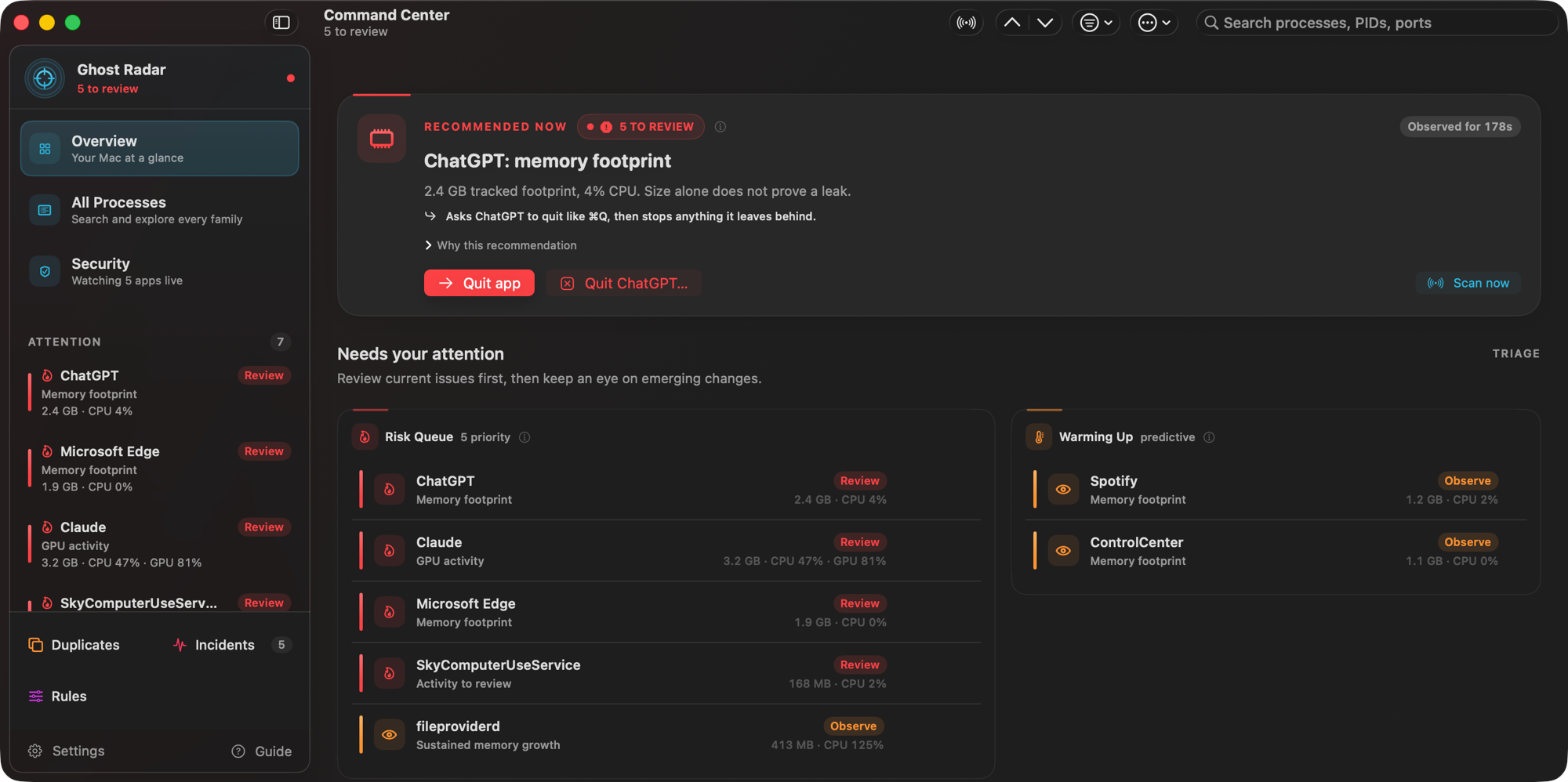
A tiny scope that changes shape and color with the state. Click it for one verdict, the culprits, and a Quick Stop for the ones worth stopping.
Ghost Process Sniper is a menu-bar radar for runaway, leaking, duplicated and forgotten processes — and for anything that looks like an attack. It tells you in plain language what's wrong, shows the evidence, and stops things only when you say so.
Ghost Process Sniper is a Mac app. Open this page on your Mac to download it.
A dev server from yesterday still holds port 3000.
An Electron helper quietly grows by 50 MB a minute.
Three copies of the same watcher, from terminals you closed.
The fans spin up, and nothing tells you why.
Ghost watches every process you own, groups helpers into families, learns what normal looks like, and tells you — with the evidence — which ones deserve attention.
Every verdict comes with the numbers behind it, and every number comes from your Mac — never an estimate dressed up as a measurement.
A tiny scope that changes shape and color with the state. Click it for one verdict, the culprits, and a Quick Stop for the ones worth stopping.
CPU and memory for every process, every scan. Slow leaks are caught from 90 minutes of history and the growing helper is named. A long compile is not a "runaway".
You see "Slack", not forty anonymous PIDs. Apps, helpers, dev servers and their workers are grouped; language servers and databases get their own family.
Judged on real evidence: a job that outlived its terminal, half an hour without CPU, a deleted working directory, a port held while idle.
Spots independently started copies of the same work, says which one to keep and why, and stops the orphaned extras.
Measured CPU and GPU Celsius from hardware sensors — never invented per-app temperatures — plus the app or job actually doing the work.
Every running process by name, command, path, PID or port. Typo-tolerant, with filters like port:3000, cpu>20 and is:leaking.
A local timeline of leaks, spikes and runaways — one entry per episode — so the apps that keep misbehaving stand out.
Notify, highlight, snooze, ignore, or suggest stopping matching apps and commands — so the radar learns what you care about.
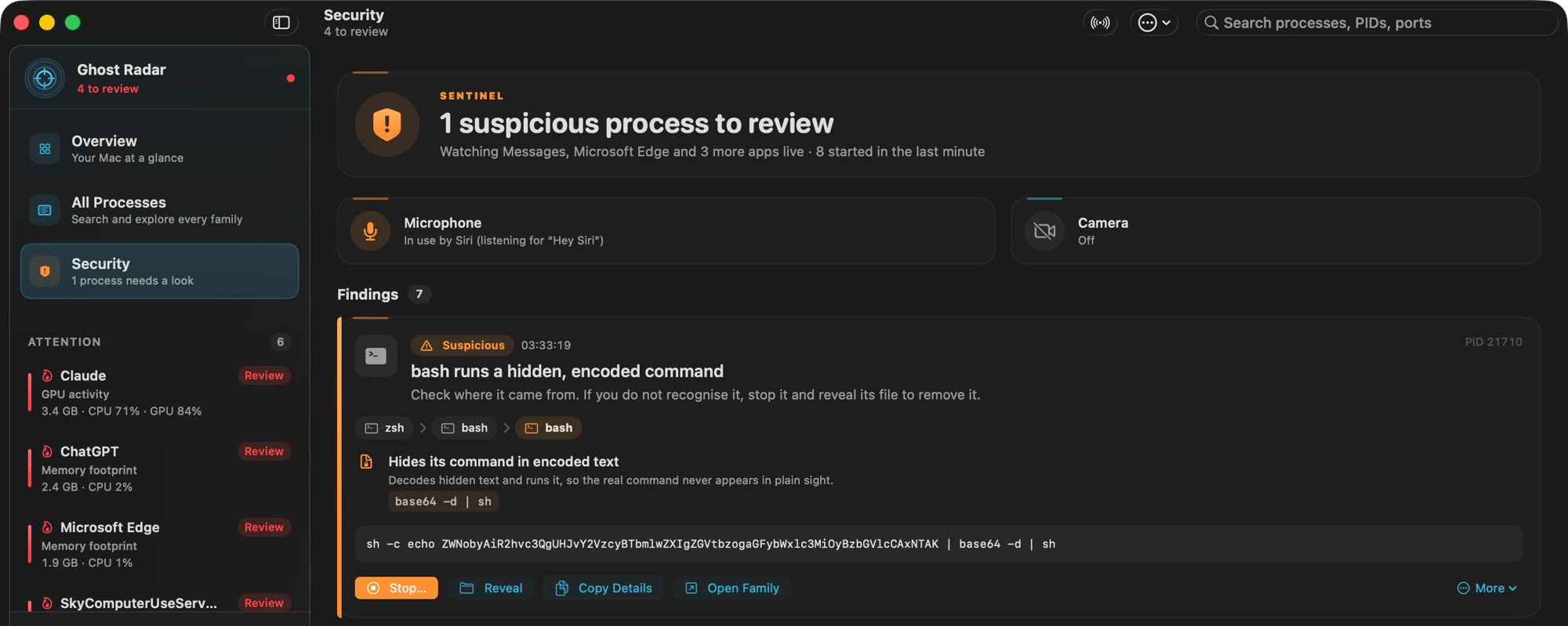
Sentinel looks at every process for the shapes attacks take on a Mac, and explains each finding with the chain that launched it, the exact evidence and one next step.
A browser that starts a shell to run a downloaded script reads as:
Google Chrome zsh curl … | sh
Every stop knows what it's interrupting — apps get to save, databases get to flush — and nothing that can lose data is forced unless you allow it.
See exactly which processes would stop, what each one is doing, and the risks. Targets are pinned by PID and start time, so a recycled PID is never hit.
Nothing stops until you press ⌘↩. Apps are asked to quit like ⌘Q; dev servers get Ctrl-C; databases get their own shutdown signal.
Afterwards it says by name what exited, what needed force, and whether each port the workload held is really free.
It offers to stop the launchd service or supervisor (like brew services or pm2) that would restart the process, catches children born mid-stop — and it can never stop itself, your terminal, WindowServer, launchd or processes macOS marks as system processes.
There is no networking code in the app at all — not for telemetry, analytics or update checks.
No telemetry, no analytics, no update pings, no accounts.
No privileged helper, kernel extension or Full Disk Access. Sensor reads are read-only.
It can only signal processes owned by you, and only after you confirm.
Settings and history live in one SQLite file on your Mac. Sentinel's launch feed never touches the disk.
Ghost Process Sniper is free and open source, and it isn't notarized by Apple (that needs a paid developer account), so macOS asks you to confirm the first launch — once:
Click Done, open System Settings › Privacy & Security, scroll to Security, click Open Anyway next to Ghost Process Sniper, and confirm with your password or Touch ID.
Prefer the terminal? After copying the app to Applications:
xattr -dr com.apple.quarantine "/Applications/Ghost Process Sniper.app"The SHA-256 of GhostProcessSniper-2.1.0.dmg is
ce4f92f5ff09f9564f898d41688bc47a40ffb6d5d6c20f4e39cd9938a97d4bf5
Check it with:
shasum -a 256 ~/Downloads/GhostProcessSniper-*.dmgEvery release is built from its tagged source by GitHub Actions, which publishes a signed build-provenance attestation. With the GitHub CLI you can prove the file came from that build:
gh attestation verify ~/Downloads/GhostProcessSniper-*.dmg --repo mikkel32/ghost-process-sniper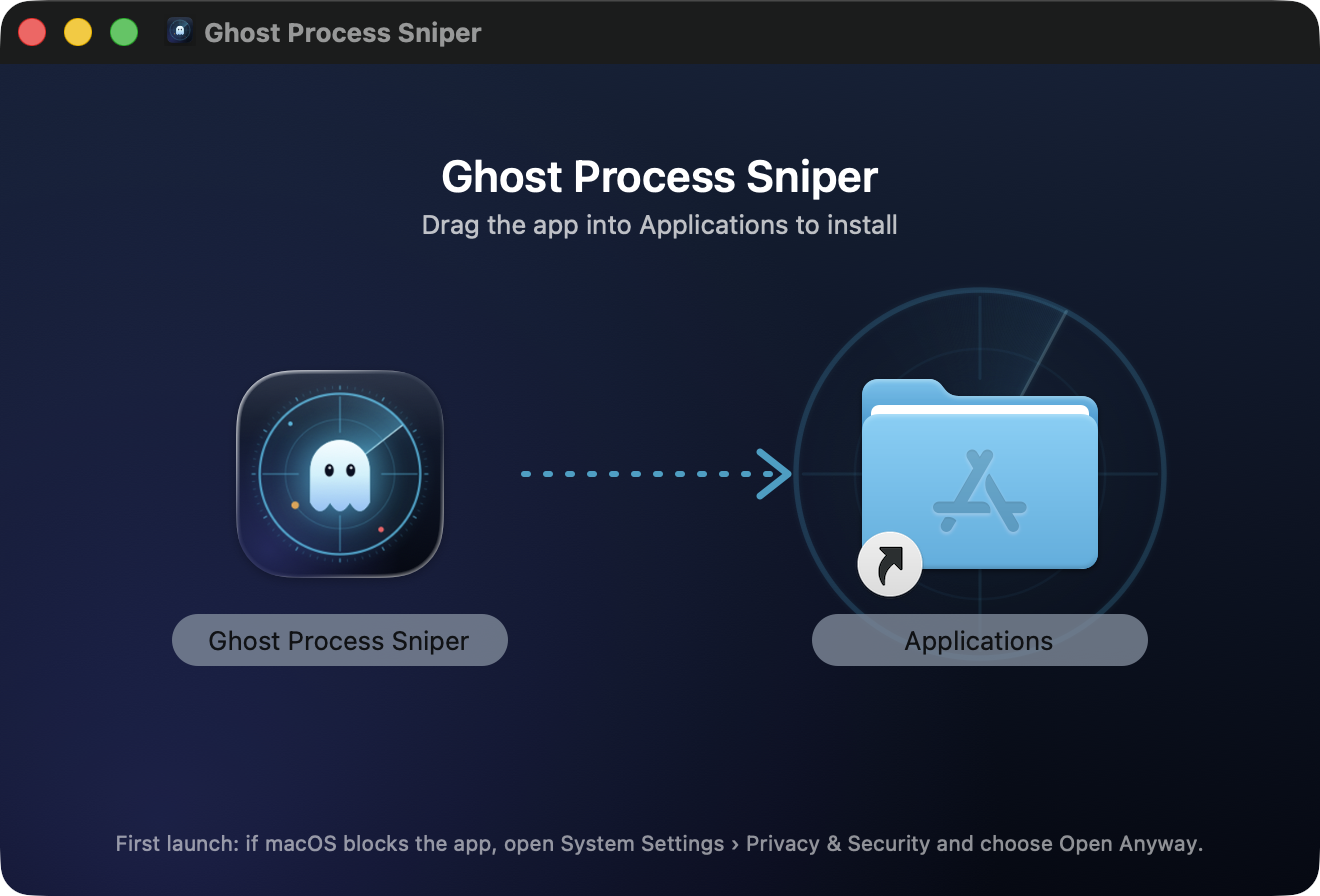
The installer: drag the app onto Applications.
Ghost Process Sniper is written in Swift and SwiftUI, and all of it is on GitHub — the sampling engine, the detection rules, the stop logic and the release pipeline that builds the download.
With macOS 26 and Xcode 26:
git clone https://github.com/mikkel32/ghost-process-sniper.git
cd ghost-process-sniper
Scripts/dev.sh runYes. It's MIT licensed, with no accounts, subscriptions, ads or in-app purchases.
macOS 26 Tahoe or later, on Apple silicon or Intel. Temperatures come from verified sensor maps on M1, M2 and Intel Macs, from catalog maps on M3 and M4, and from sensors discovered on the Mac for M5 and later; the app always says which.
Every stop starts with a preview and needs ⌘↩ to confirm — Return alone never stops anything. It can only signal your own processes, and a protection floor refuses to stop Ghost itself, the terminal it runs in, loginwindow, WindowServer, launchd and system processes.
No. It doesn't scan files or quarantine anything. It watches running processes for the shapes attacks take and explains what it sees, so you can decide. Keep macOS's own protections on; Sentinel adds visibility, not a replacement.
Download the new version, quit Ghost from its menu, and replace the app in Applications. Settings and history are kept. Because the app never goes online, it won't tell you about updates — watch the repository (Watch › Custom › Releases) to be notified.
If you turned on Launch Ghost Process Sniper at login, turn it off in Settings first. Then quit the app, drag it from Applications to the Trash, and, if you want its history gone too, delete ~/Library/Application Support/Ghost Process Sniper.